
Sample and batch traceability for food testing laboratories
Link samples to batches and methods, record microbiological and physicochemical analyses, review results and organize reports with the technical history of each job.
The routine of a food testing lab
Samples with short deadlines, incubation on the clock and clients asking which batch each result came from. When this routine runs on spreadsheets, rebuilding the history of a result takes time.
Product batch recorded on the sample
The batch and the manufacturing and expiry dates can be recorded on the sample, during collection in the app or in configurable form fields. When someone asks about a batch, the team starts from that record to reach the results and the report.
Analysis deadlines tracked
Track analysis stages and deadlines to spot pending items before delivery. Each parameter can have a deadline to start the analysis and a delivery deadline.
Many clients, each with its own routine
Food plants, food services and process water, with recurring sampling and different delivery formats, organized in the same system.
A history the lab can show
The system records who did what and when for changes to results and to the main records. This history supports the routine of laboratories that work with ISO/IEC 17025.
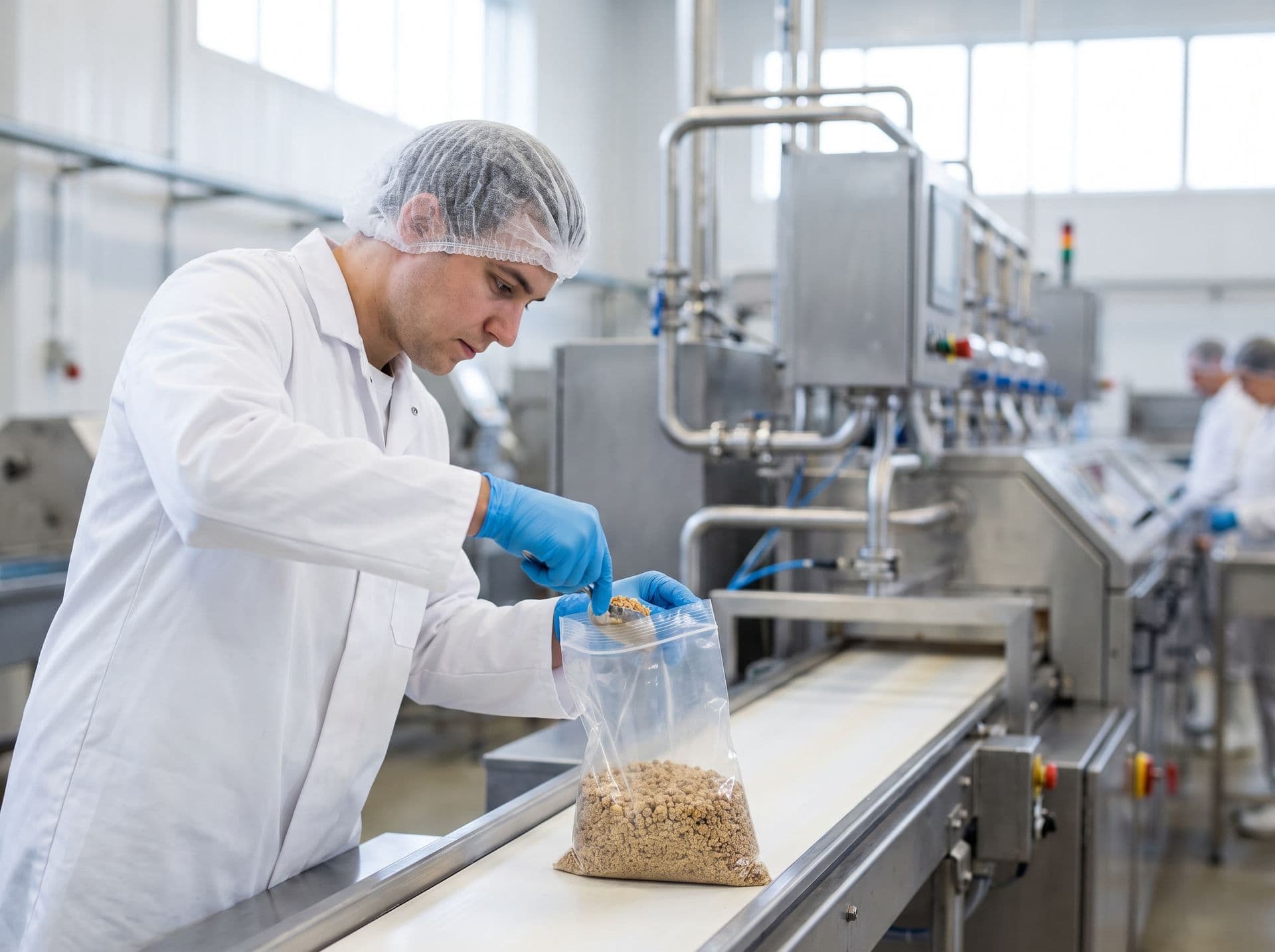
Each sample comes in identified and linked to the stated batch
In the plant or in the field, the team identifies the sample by work order, matrix and parameter and prints a barcode or QR label. The sampling app works without internet for the operations confirmed in testing and sends the data when the connection is back.
- Label by work order, sample, matrix and parameter
- Sampling in the app, with photos and GPS
- Sample history from intake to disposal
Criteria and references: the lab decides
Register and maintain the criteria that apply to the food, the test and the client. The system can compare the result with the reference validated by the lab.
Microbiological standards for food
Microbiological standards are set in Anvisa RDC 724/2022 and in the lists of Anvisa IN 161/2022, amended by IN 313/2024. The lab chooses the food category and registers the values it will use.
Good practices in food services
Anvisa RDC 216/2004 covers good practices in food services, such as hygiene of premises and food handlers. It does not set microbiological standards for food.
FSSC 22000 version 7
For clients certified under the FSSC 22000 scheme, the system helps organize the test records they use. Gerencialab does not certify and does not guarantee compliance with the scheme. In the demo, we show which records the system organizes.
MAPA regulations and client specifications
MAPA (Brazilian Ministry of Agriculture) regulations that apply to the product and client specifications are registered as criteria by the lab, with the reference stated in the record.
Technical decisions, such as acceptance criteria, decision rules, method validation and release of results, belong to the laboratory. The system records and organizes these decisions. Plate reading and microbiological interpretation remain with the analyst and the technical manager.
| Standard | Status | What it covers | Official source |
|---|---|---|---|
Resolução RDC nº 724, de 1º de julho de 2022 RDC Anvisa 724/2022 | In force | Microbiological standards for food and how they apply across the whole production chain.In force since 1 September 2022. It revoked RDC 331/2019. The lists of standards are in IN 161/2022. | Official source |
Instrução Normativa IN nº 161, de 1º de julho de 2022 IN Anvisa 161/2022 | In force | Lists of microbiological standards by food category, under RDC 724/2022.Amended by IN 313/2024, which changed categories 5 and 6 of Annex I and revoked Annex IV. Use the updated text when registering limits. | Official source |
Resolução RDC nº 216, de 15 de setembro de 2004 RDC Anvisa 216/2004 | In force | Good practices for food services, such as hygiene of premises, food handlers and food preparation.Amended by RDC 52/2014. It does not set microbiological standards for food: those are in RDC 724/2022 and IN 161/2022. Its revision is on Anvisa's 2026-2027 Regulatory Agenda. | Official source |
FSSC 22000 - Esquema de certificação de sistemas de segurança de alimentos, versão 7 FSSC 22000 v7 (2026) | In force | Certification scheme for food safety management systems.Version 7 was released on 1 May 2026. Audits against version 6 are allowed until 30 April 2027. Upgrade audits to version 7 run from 1 May 2027 to 30 April 2028. | Official source |
Requisitos gerais para a competência de laboratórios de ensaio e calibração ABNT NBR ISO/IEC 17025:2017 | In force | Requirements for the competence, impartiality and consistent operation of testing and calibration laboratories. | Official source |
References checked on 26/10/2026. Limits and their updates are maintained by the laboratory.
Illustrative system screen. Demo data that does not represent client results.
From batch to report, in a recorded sequence
Batch, sample, parameter, review and report: each step is recorded with the person responsible and the date. The reviewer approves the result or returns it to the analyst before the report is issued.
See this flow in the demoHow the system supports food testing
From sample to report, with records the team can look up.
Tests your lab's way
Coliforms, Salmonella, aerobic mesophiles, molds and yeasts, pH, acidity and moisture, each parameter with the method and unit registered by the lab.
Comparison with the registered criterion
When results are entered, they are compared with the reference validated by the lab, and anything outside the criterion is flagged for review.
Review before the report
The reviewer approves the result or returns it to the analyst. The separation between who reviews and who signs is defined by the lab in the access profiles.
Instrument results by file import
Instrument results come in by file (CSV, TXT, XLS, XLSX, ASTM, HL7, XML, JSON or fixed-width text), through a local agent that watches a folder, by manual upload or by webhook. Each instrument is configured and tested with the laboratory.
Equipment and calibration
Calibration expiry warnings. The default is to warn; blocking applies to equipment flagged as critical or when the lab turns on blocking mode.
Analytical quality control
Control charts and Westgard rules, with reference materials tracked by lot and expiry date. The action taken when a rule is violated is configured by the lab.
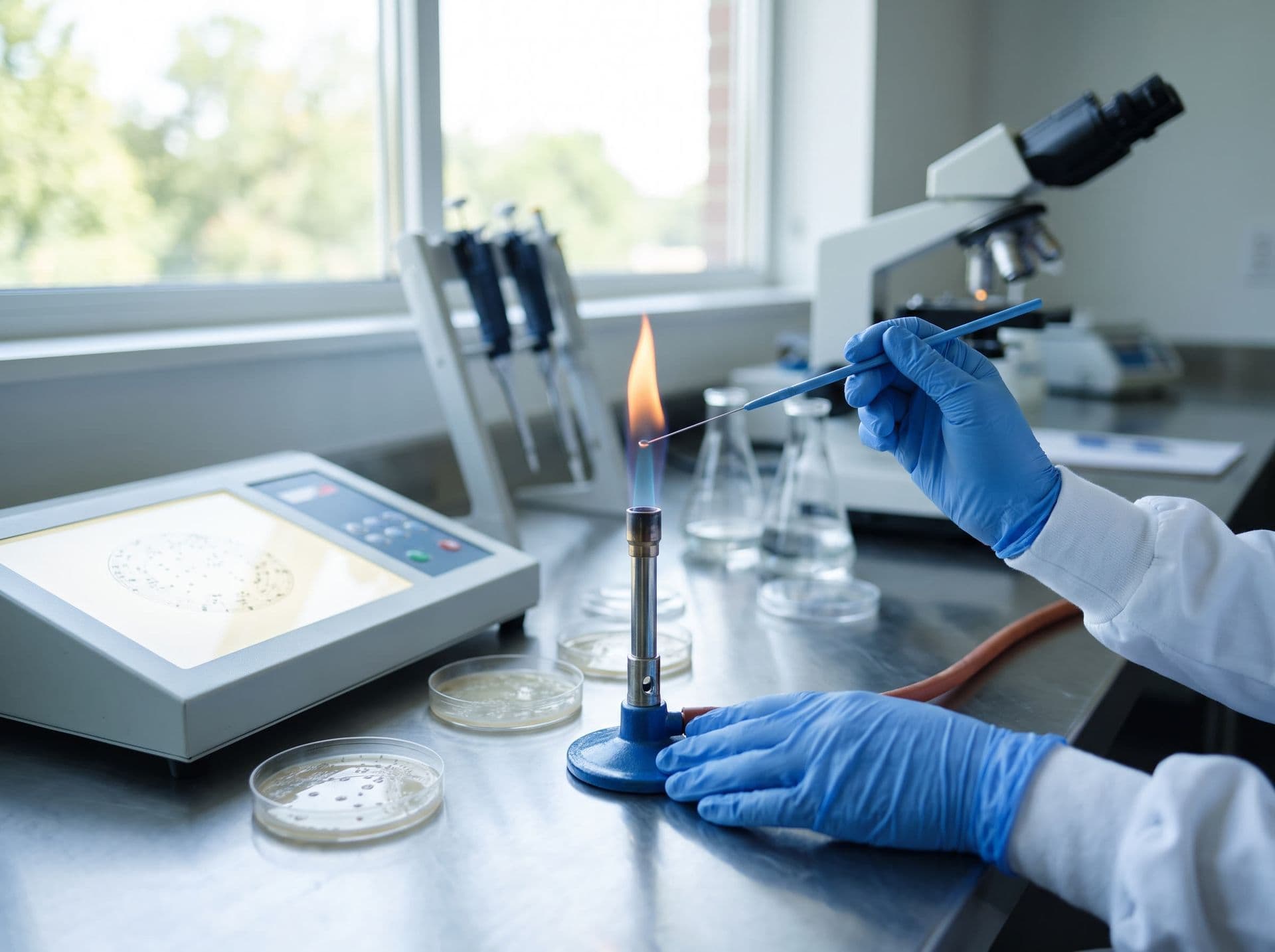
Results compared with the lab's criteria and reviewed before issue
In microbiology and physicochemistry, each parameter is compared with the criterion the lab registered, such as the standards in Anvisa RDC 724/2022 and IN 161/2022. The report is issued after the technical review, using the template set up by the lab.
- Criteria registered and maintained by the lab
- Technical review recorded before the report
- Revisions of issued reports archived with reason and person responsible
Proposals, reports and invoicing
What the client receives and how the lab invoices the service.
Proposals by link
The client views and approves the proposal through the link they receive, without accessing the lab's internal system.
Reports in the client portal
With access granted by the lab, the client downloads reports from the portal as PDF, ZIP, XLSX or CSV.
Report templates
Header, footer and variables in the lab's template, with accredited tests flagged and revisions archived with reason and person responsible.
Invoicing and NFS-e
NFS-e service invoices issued under Brazil's national standard, depending on the municipality joining it, an A1 digital certificate and the company's tax setup.
Modules available according to the contracted scope. Tax document issuance depends on the document type, the location and the available integrations. Confirm coverage for your operation in the demo and in the proposal.
Features mentioned on this page
Each feature is shown with its current status and with what remains the lab's responsibility.
| Topic | Status | What exists today | Limit / laboratory responsibility |
|---|---|---|---|
| Regulations and limits | Depends on configuration | The laboratory registers regulations, matrices and maximum allowed values, and the system compares each result with the limits registered for the service. | Regulations are not preloaded. Registering, checking and updating limits are the laboratory's responsibility. |
| Receipt and handling of samples | Available | Pre-receipt and technical inspection of samples with barcode scanning, unique identification and a history of the stages up to disposal. | Acceptance criteria, storage conditions and handling of deviations at receipt are defined by the laboratory. |
| Report review and release | Available | Staged workflow: entry in the lab, results review, signature and release. The reviewer approves or returns the result to the analyst, and revisions of issued reports are archived with reason and owner. | The system does not prevent the same person from reviewing and signing a report. Separating these roles is set by the laboratory in the access profiles. |
| Client portal | Available | Clients download reports as PDF, ZIP, XLSX or CSV, open support requests, and view and approve proposals through the link they receive. | Each client's access is granted and maintained by the laboratory. What is made available, and when, follows the laboratory's setup. |
| Instrument result import | Via file import | Imports results from CSV, TXT, XLS and XLSX files and from ASTM E1394, HL7 v2, XML, JSON and fixed-width text formats. Files arrive through an agent installed at the laboratory that watches a folder, by manual upload or by webhook. | The system does not connect to the serial port or directly to the instrument. The ready-made import profiles are generic, with no reader specific to a manufacturer or model, and each instrument is configured and tested with the laboratory. |
| Sampling app with offline mode | Available | The app downloads sampling jobs, including PDFs, for work without internet. It records photos, the client's signature, GPS and checklist, and sends them in batches, with retries, when the connection returns. | Offline mode covers the operations confirmed in on-device testing. Validate your sampling flow in airplane mode during implementation. |
| NFS-e service invoice issuance | Depends on configuration | Issues the Brazilian electronic service invoice (NFS-e) under the national standard, from the system's billing. | It depends on the municipality joining the national standard, an A1 digital certificate and the company's tax setup. Some tax regimes require prior validation; confirm coverage for your operation in the demo and in the proposal. |
Current features and limits
Regulations and limits
- What exists today
- The laboratory registers regulations, matrices and maximum allowed values, and the system compares each result with the limits registered for the service.
- Limit / laboratory responsibility
- Regulations are not preloaded. Registering, checking and updating limits are the laboratory's responsibility.
Receipt and handling of samples
- What exists today
- Pre-receipt and technical inspection of samples with barcode scanning, unique identification and a history of the stages up to disposal.
- Limit / laboratory responsibility
- Acceptance criteria, storage conditions and handling of deviations at receipt are defined by the laboratory.
Report review and release
- What exists today
- Staged workflow: entry in the lab, results review, signature and release. The reviewer approves or returns the result to the analyst, and revisions of issued reports are archived with reason and owner.
- Limit / laboratory responsibility
- The system does not prevent the same person from reviewing and signing a report. Separating these roles is set by the laboratory in the access profiles.
Client portal
- What exists today
- Clients download reports as PDF, ZIP, XLSX or CSV, open support requests, and view and approve proposals through the link they receive.
- Limit / laboratory responsibility
- Each client's access is granted and maintained by the laboratory. What is made available, and when, follows the laboratory's setup.
Instrument result import
- What exists today
- Imports results from CSV, TXT, XLS and XLSX files and from ASTM E1394, HL7 v2, XML, JSON and fixed-width text formats. Files arrive through an agent installed at the laboratory that watches a folder, by manual upload or by webhook.
- Limit / laboratory responsibility
- The system does not connect to the serial port or directly to the instrument. The ready-made import profiles are generic, with no reader specific to a manufacturer or model, and each instrument is configured and tested with the laboratory.
Sampling app with offline mode
- What exists today
- The app downloads sampling jobs, including PDFs, for work without internet. It records photos, the client's signature, GPS and checklist, and sends them in batches, with retries, when the connection returns.
- Limit / laboratory responsibility
- Offline mode covers the operations confirmed in on-device testing. Validate your sampling flow in airplane mode during implementation.
NFS-e service invoice issuance
- What exists today
- Issues the Brazilian electronic service invoice (NFS-e) under the national standard, from the system's billing.
- Limit / laboratory responsibility
- It depends on the municipality joining the national standard, an A1 digital certificate and the company's tax setup. Some tax regimes require prior validation; confirm coverage for your operation in the demo and in the proposal.
Frequently asked questions
Does the system connect directly to microbiology instruments?
Instrument results come in by file (CSV, TXT, XLS, XLSX, ASTM, HL7, XML, JSON or fixed-width text), through a local agent that watches a folder, by manual upload or by webhook. Each instrument is configured and tested with the laboratory. Continuous serial capture is not available in the current version.
Can I trace a sample by product batch?
Yes, when the batch is recorded on the sample, during collection in the app or in a configurable form field. Each sample gets a barcode or QR label and keeps the history of each step, from intake to disposal.
Does the system come with the RDC 724/2022 and IN 161/2022 standards already set up?
No. The lab registers the standards it uses, such as those in Anvisa RDC 724/2022 and IN 161/2022, and keeps them up to date. The system compares each result with the registered reference. During implementation, our team helps build these records.
What about RDC 216/2004?
RDC 216/2004 covers good practices in food services, such as hygiene of premises and food handlers. It does not set microbiological standards for food. For surface hygiene verification, see the surface hygiene page.
Does Gerencialab help with ISO/IEC 17025 and FSSC 22000 audits?
The system organizes records the team presents in an audit, such as result history, reviews, calibrations and quality control. ISO/IEC 17025 accreditation is granted to the laboratory for the applicable scope, not to the software. The system also does not certify or guarantee compliance with the FSSC 22000 scheme.
Does field sampling work without internet?
The app downloads the sampling jobs for offline work and sends the data when the connection is back. Offline mode covers the operations confirmed in testing on the device. Validate your sampling workflow in airplane mode during implementation.
Does the system issue the service invoice?
NFS-e service invoices issued under Brazil's national standard, depending on the municipality joining it, an A1 digital certificate and the company's tax setup. Tax document issuance depends on the document type, the location and the available integrations. Confirm coverage for your operation in the demo and in the proposal.
Related pages
- LIMS for samples, analyses, review and reportsHow the lab organizes each sample from intake to report.
- Quality management for laboratoriesQuality control, documents, nonconformities and risks.
- Integrations with instruments and systemsResult import by file, API, webhooks and ERP.
- Surface hygieneSwab sampling and microbiological results by point.
See the batch-to-report flow with your lab's scenario
Free online demo, about 30 minutes long. Our team adapts the examples to your laboratory's routine.